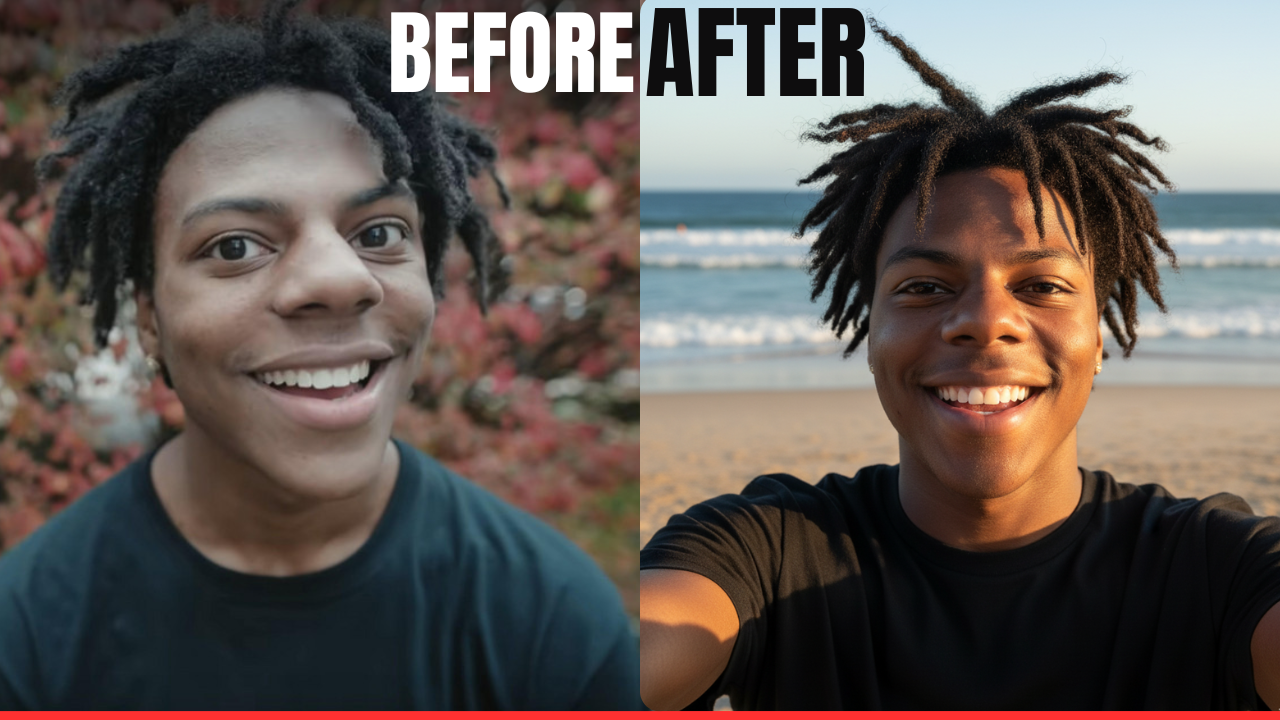
Ever snapped a photo that looked straight out of a glossy magazine, only to realize it was conjured from thin air by an AI? That’s the thrill of tools like Google Gemini, Google’s powerhouse AI that’s evolved into a wizard for generating hyper-realistic images. As of late 2025, Gemini isn’t just chatting or brainstorming—it’s your personal photo studio, blending cutting-edge tech with your wildest ideas. Whether you’re dreaming up a serene family portrait or a chaotic anime crossover (guilty as charged after my last experiment), Gemini can make it feel achingly real. Let’s dive into how to harness this beast for photos that fool the eye—and maybe even your grandma.
Prompt 1
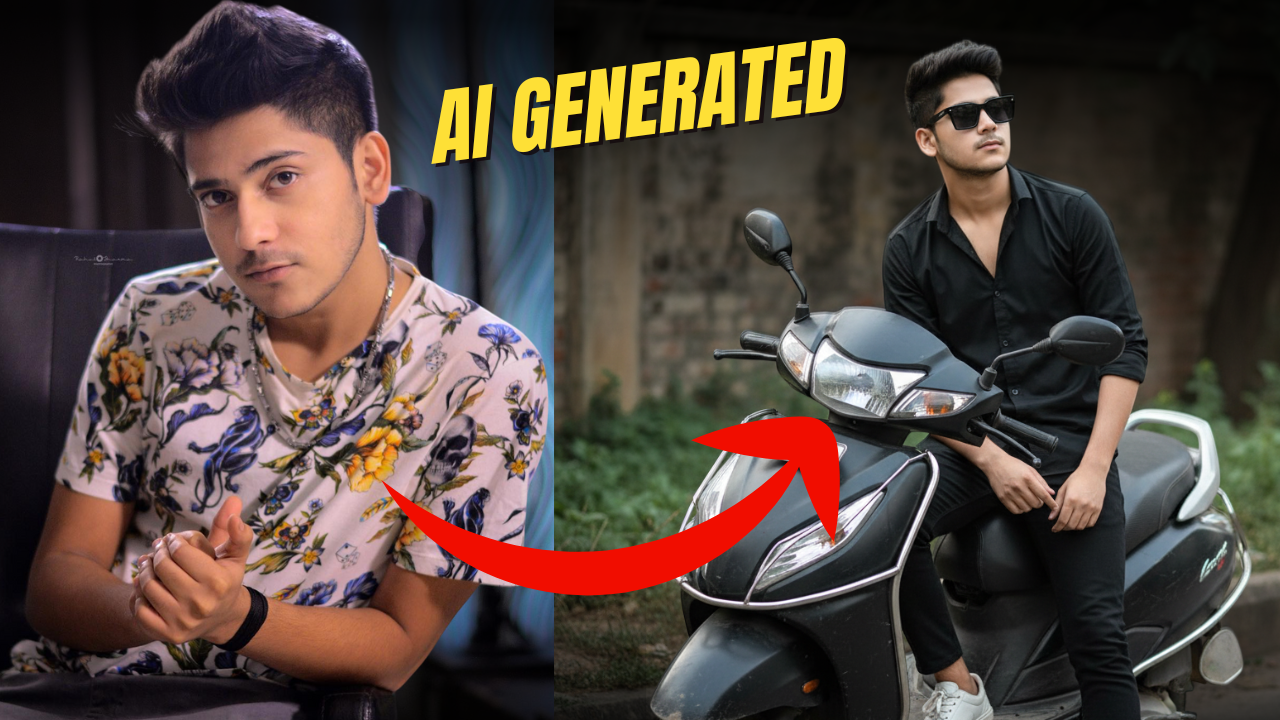
He stands in a relaxed pose, leaning casually against a matte black Honda Activa 5G scooter with the number plate “1001.” The setting is an outdoor urban space surrounded by touches of natural greenery and scattered foliage in the background. The lighting is soft and naturally muted, creating a cinematic, moody atmosphere where deep neutral shades highlight the bright white of his sneakers. He wears a full-sleeved, button-up shirt paired with white sneakers, giving off an effortlessly stylish, introspective vibe. The photo is highly detailed and captured professionally in 4K using an iPhone camera. His face remains exactly the same as in the source image—unaltered and naturally proportioned, with no extra body fat. The image should be a clear, close-up shot with sharp focus. His hands are slightly separated, and he wears thick, square-framed dark sunglasses. The face must remain completely unchanged from the original.
Prompt 1.1
He leans casually against a matte black Honda Activa 5G scooter with the number plate “1001,” set in an outdoor urban environment with natural plants and scattered foliage in the background. The scene features soft, muted natural lighting that creates a cinematic and introspective atmosphere. Dark, neutral tones contrast beautifully with the crisp white of his sneakers, adding a sense of modern edge and effortless cool.
He is wearing a full-sleeved, button-up shirt and white sneakers. The shot should be a high-detail, professional 4K iPhone photograph — close-up, clear, and sharp. Maintain the same face as the original source image with no alterations; do not make the body appear heavier. Both hands should appear separately but naturally. The subject wears thick, square-framed dark sunglasses. Keep the face completely unchanged from the original.
Why Gemini for Realistic AI Photos? The Lowdown
Google’s Gemini (powered by models like Gemini 1.5 Pro and its image gen sibling Imagen 3) stands out because it’s not content with cartoonish vibes. Trained on vast troves of real-world visuals, it nails details like skin texture, lighting quirks, and those subtle shadows that scream “this happened.” Unlike some AIs that spit out surreal blobs, Gemini prioritizes photorealism when you nudge it right.
Access is a breeze: Head to gemini.google.com (free tier gets you started, with premium perks via Google One AI Premium for unlimited generations). No downloads, no fuss—just type your prompt and hit generate. It’s mobile-friendly too, perfect for on-the-go tweaks. But realism? That’s where your wordsmithing shines. A lazy prompt gets you meh results; a sharp one? A frame-worthy masterpiece.
The Art of the Prompt: Your Blueprint for Believability
Prompts are Gemini’s love language—feed it specifics, and it’ll return devotion. For realism, think like a director: Set the scene, cast the characters, light it up, and add that human touch. Start broad, layer in details, and end with style cues. Aim for 50-100 words to keep it focused; Gemini thrives on clarity.
Here’s a foolproof formula:
- Scene and Composition: Anchor it in reality. “A candid smartphone selfie in a sunlit urban park” beats “a picture of people.”
- Subjects with Flair: Describe appearances vividly but sparingly. “A diverse group of young adults in casual streetwear, laughing with natural expressions” adds life without overload.
- Realism Boosters: Invoke “photorealistic,” “high-resolution DSLR capture,” or “natural golden-hour lighting with soft bokeh.” These trick Gemini into ditching the glossy AI sheen.
- Mood and Details: Weave in emotions or quirks. “Wind tousling hair, freckles on cheeks, distant city skyline” grounds it.
Pro tip: Reference real photographers like Annie Leibovitz for “intimate, emotive portraits” or gear like “shot on iPhone 16 Pro with 48MP lens” for that authentic snap.
Hands-On Example: From Anime Dream to Park Hangout
Inspired by my recent obsession with blending nostalgia and now, I prompted Gemini for a realistic twist on an anime squad selfie. Original vibe: Shinchan, Doraemon, Naruto, and Nobita crashing my shot. Realistic remix? Life-sized mascot versions in a Tokyo park, with me and friends as the human anchors.
My Prompt: “Photorealistic smartphone selfie of a joyful group in a lush Tokyo park at golden hour: In the center, a 20-something East Asian man with messy black hair and gray hoodie grins widely, arm extended. Flanking him: Life-sized Shinchan mascot in red overalls peeking cheekily; blue Doraemon plush giant holding a gadget; orange-jacketed Naruto cosplayer striking a playful pose; bespectacled Nobita lookalike fumbling a prop. Diverse friends in casual tees laugh in the background. Natural sunlight filtering through cherry blossoms, sharp details on fabrics and skin, 8K resolution, like a viral Instagram candid.”
The output? Eerily real—wrinkles in the hoodies, dappled light on plastic mascot eyes, even a faint park bench graffiti in the blur. It felt like I was there, phone in hand, mid-laugh. Gemini nailed the chaos without cartoon edges, turning fantasy into something shareable (and envy-inducing) for social feeds.
Tweak it for your needs: Swap anime for “family reunion at a lakeside cabin” or “solo portrait against a rainy city street.” Experiment in the free tier—Gemini’s quick iterations let you refine on the fly.
Pitfalls to Dodge and Hacks to Nail It
Not every generation’s a winner. Common snags? Overly complex scenes (Gemini might mash faces) or vague terms like “cool lighting” (specify “diffused afternoon sun”). Ethical heads-up: It avoids celeb deepfakes, but always watermark AI art if sharing professionally.
Hacks for next-level results:
- Iterate Smart: Use Gemini’s “regenerate with edits” to swap elements, like “make the lighting duskier.”
- Style Fusion: Blend “photorealistic with subtle oil painting texture” for artistic flair without losing realism.
- Batch and Compare: Generate variations side-by-side to pick the gem.
- Mobile Magic: The Gemini app’s camera integration lets you upload a base photo and say, “Make this more vibrant and realistic”—instant glow-up.
In 2025, with Gemini’s updates rolling out multimodal smarts (text + image inputs), it’s only getting sharper. Tools like this democratize pro photography, letting anyone with an idea play creator.
Your Turn: Snap Into the Future
Realistic AI photos aren’t about replacing the real thing—they’re about amplifying stories you couldn’t otherwise tell. That park selfie? It’s now my profile pic, sparking chats about childhood crushes on blue cats. Grab Gemini, craft your prompt, and see what lifelike wonders emerge. What’s your first experiment—a serene landscape or a quirky self-portrait? Hit me with your results; I’m all ears (and prompts) for the next round. After all, in the AI era, the only limit is your imagination—and maybe a well-placed comma.